Trusted by market leaders · Client results






















CoreDash installation: easy setup
Welcome to CoreDash. Setting up your Real User Monitoring (RUM) takes a few minutes. In just three steps, you will be collecting real-time Core Web Vitals performance data from your live traffic!
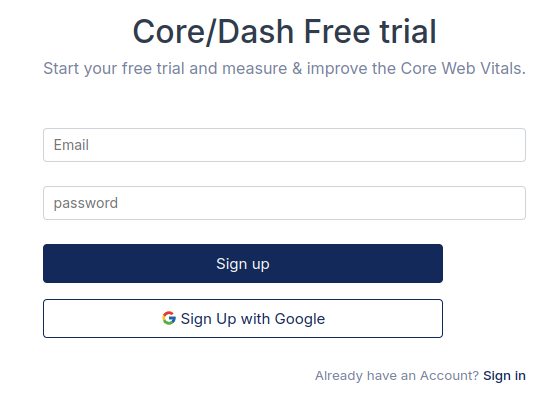
Step 1: Create Your Account
Sign up to establish your secure workspace. This gives you immediate access to the dashboard where you can manage your projects and view your performance data.
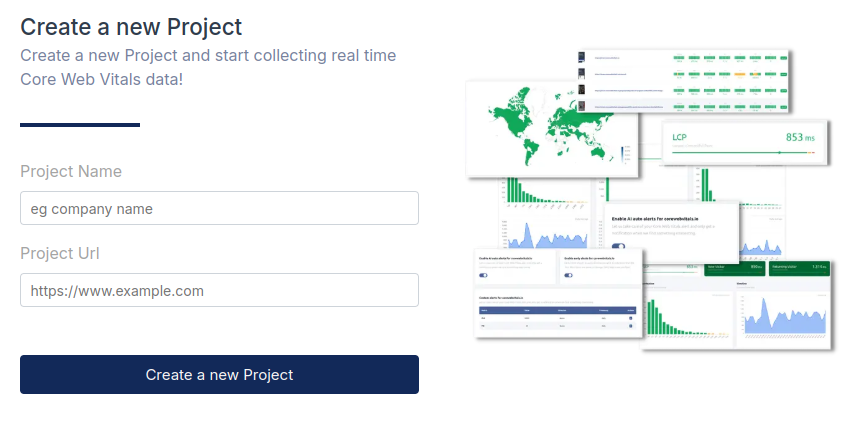
Step 2: Add Your First Project
Tell us what to track. Enter your website details in the "Create a new Project" form. This generates your unique Site ID, which acts as the key for your performance data.
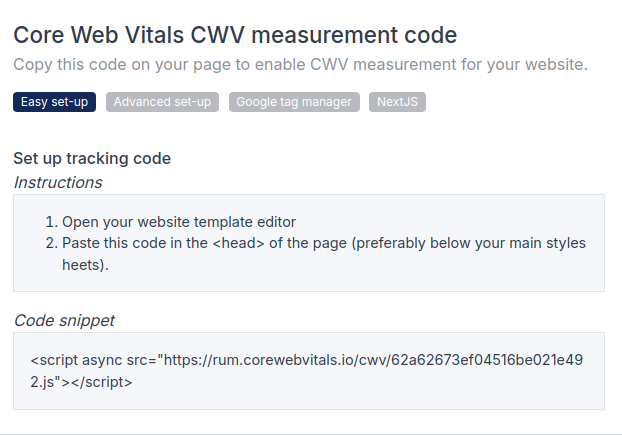
Step 3: Copy and Paste the Tracking Code
Deploy the generated tracking code to your website. Copy the snippet and paste it into the <head> of your HTML. We use the async attribute to ensure the script never blocks your page load, keeping your site fast while we measure it.
Step 3 on WordPress: Install the CoreDash Plugin
On WordPress you still do steps 1 and 2, then skip the copy and paste. Install the CoreDash WordPress plugin, click Connect to CoreDash and pick the project you just made: the plugin adds the tracking script to your pages and shows your Core Web Vitals in wp-admin.
You’re Ready to Go!
That’s it! Once the script is live, navigate to your dashboard. You will see real-time user data populating within seconds of the first page view. You are now monitoring your true user experience.

