Trusted by market leaders · Client results



















Alerts and Notifications
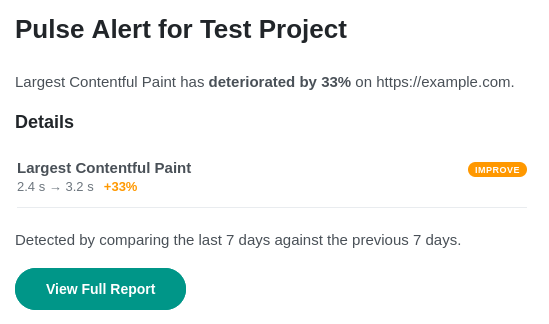
Performance regressions don't announce themselves. A deploy ships a blocking script, a CDN edge misbehaves, or LCP quietly creeps up over two weeks. By the time you spot it in CrUX data (28 days later), the damage is done.
CoreDash gives you two alerting systems that work together: Custom Alerts for the things you know to watch, and AI Auto Alerts for everything you don't.
Both deliver to email and Slack. Both run side by side.
Custom Alerts
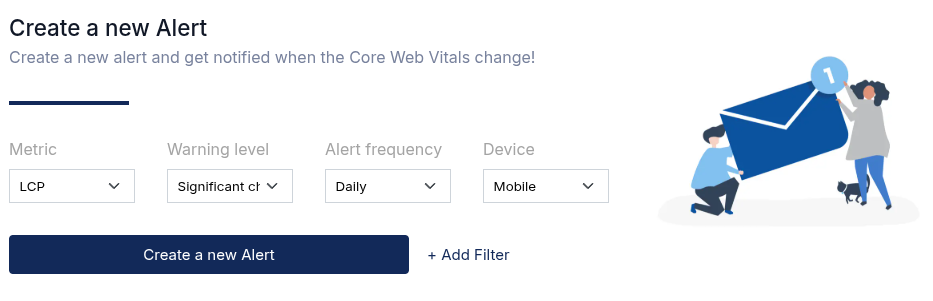
You pick the metric, the sensitivity, and the frequency. One alert, exactly the conditions that matter to you.
Metrics: Any Core Web Vital. LCP, INP, CLS, TTFB, or FCP.
Three sensitivity levels:
- Significant change (>50%) fires only when something clearly broke (or improved dramatically). Your "house is on fire" detector.
- Boundary crossing fires when a metric crosses a Core Web Vitals threshold (good → needs improvement → poor). The one to use when staying green matters.
- Small change (>25%) catches regressions early, before they snowball.
Frequency: Daily, weekly, or monthly.
Filters: Narrow it to mobile only, a specific country, a single browser, or an individual page. Want to watch LCP on your homepage for mobile users in Germany? Three clicks.
When Custom Alerts make sense
You just deployed a new checkout page. Set a daily alert with "small change" sensitivity on LCP for that page. If something regressed, you will know tomorrow morning.
Your product pages sit at 2.3s LCP. Comfortably "good," but not by much. A boundary crossing alert tells you the moment it slips.
Safari mobile users have worse INP than everyone else. Filter an alert to that exact combination and track whether your fixes are working.
AI Auto Alerts
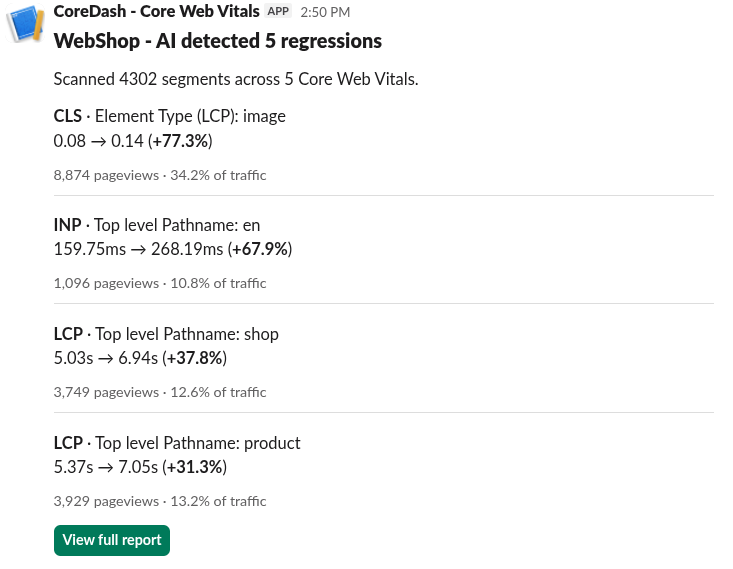
You cannot create a Custom Alert for every combination of metric × page × device × browser × country. There are hundreds of segments. AI Auto Alerts cover the blind spots.
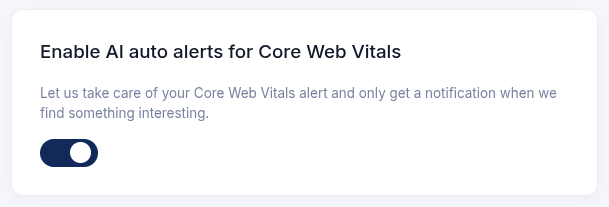
One toggle. Zero configuration. Turn it on and CoreDash scans hundreds of segments across all five Core Web Vitals, every day. It only pings you when something meaningful changes.
What makes it useful:
- Impact aware. Only surfaces regressions affecting 2%+ of your traffic. No noise from tiny segments.
- Smart deduplication. Same regression reported yesterday and nothing changed? You won't hear about it again.
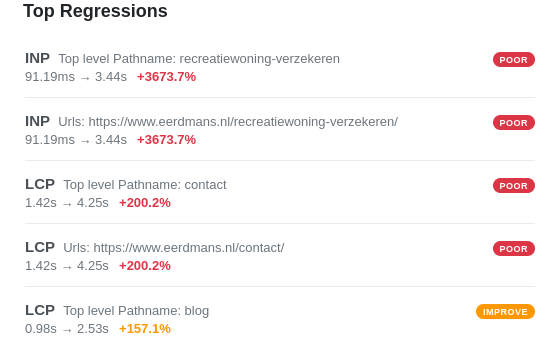
- Full context. Every alert tells you the metric, which segment regressed, by how much, and how many real users are affected.
What it catches that you would miss
Your global LCP looks fine at 2.0s. But users in Indonesia on Android Chrome just jumped to 4.1s after a CDN change. That is 3% of your traffic. Enough to matter, invisible in aggregate numbers.
Your marketing team launched a landing page last week. Nobody added it to a Custom Alert. AI Auto Alerts picks it up automatically because it scans everything.
Better Together
Custom Alerts are your targeted watchlist. Precise control over the pages and metrics you actively manage.
AI Auto Alerts are your safety net. Everything else. The segments you forgot, the pages you didn't think to watch, the regressions in combinations you would never write rules for.
Run both.
Getting Started
- Go to your project settings in CoreDash.
- Custom Alerts: Pick metric, sensitivity, frequency, and filters. Save.
- AI Auto Alerts: Flip the toggle on. Done.
- Delivery: Connect email and Slack in notification settings.
Your site generates performance data around the clock. These two systems make sure that data works for you instead of sitting in a dashboard waiting for someone to look at it.

